Tramevia Dock · open source · version 1.5
Your whole live control room, inside OBS.
One chat, every alert and the stream title for Twitch, Kick, YouTube and TikTok LIVE. On your PC or hosted online, no coding, and no server between you and your platforms.
- Twitch
- Kick
- YouTube
- TikTok LIVE
What it does
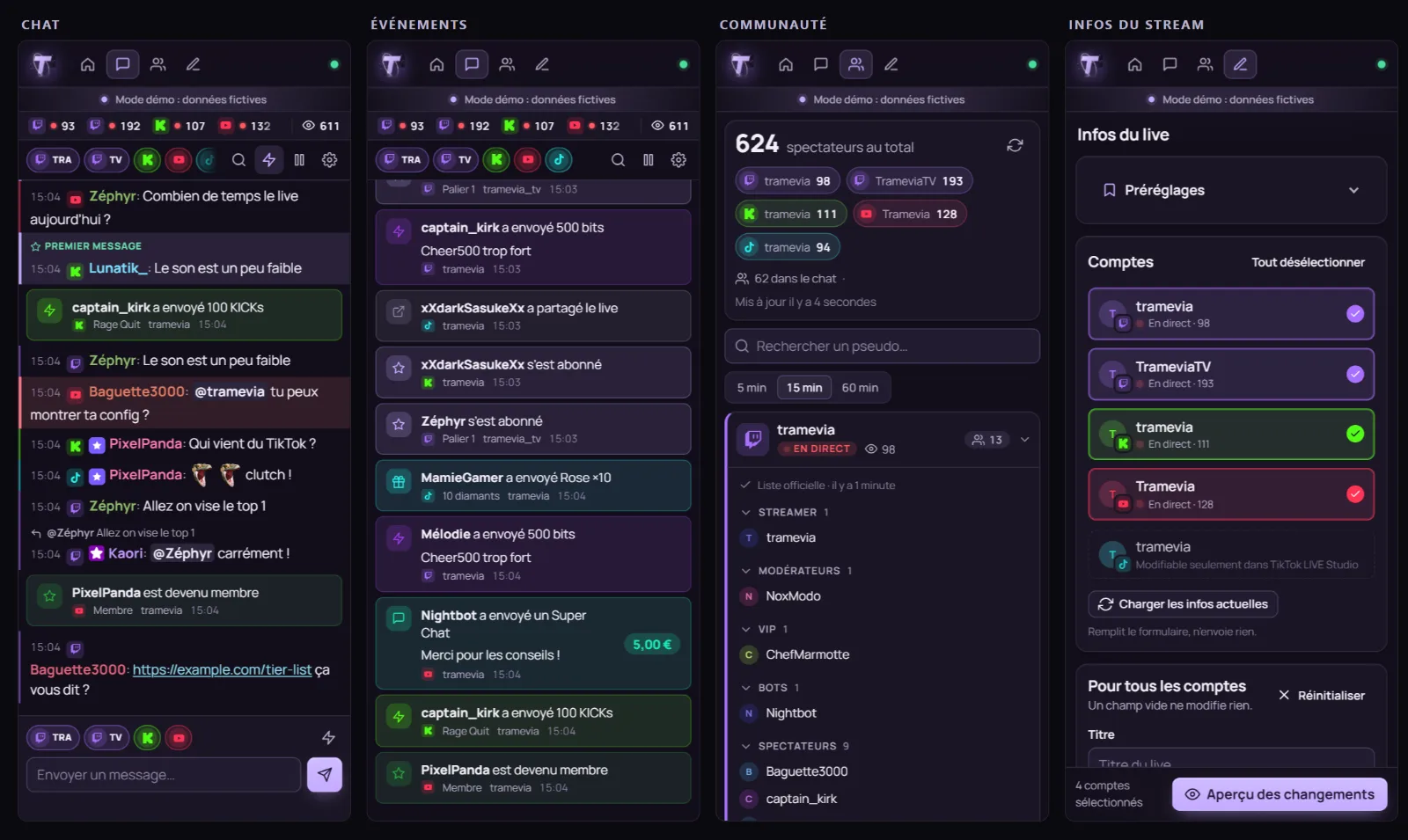
Four docks, six overlays.
01 · Chat
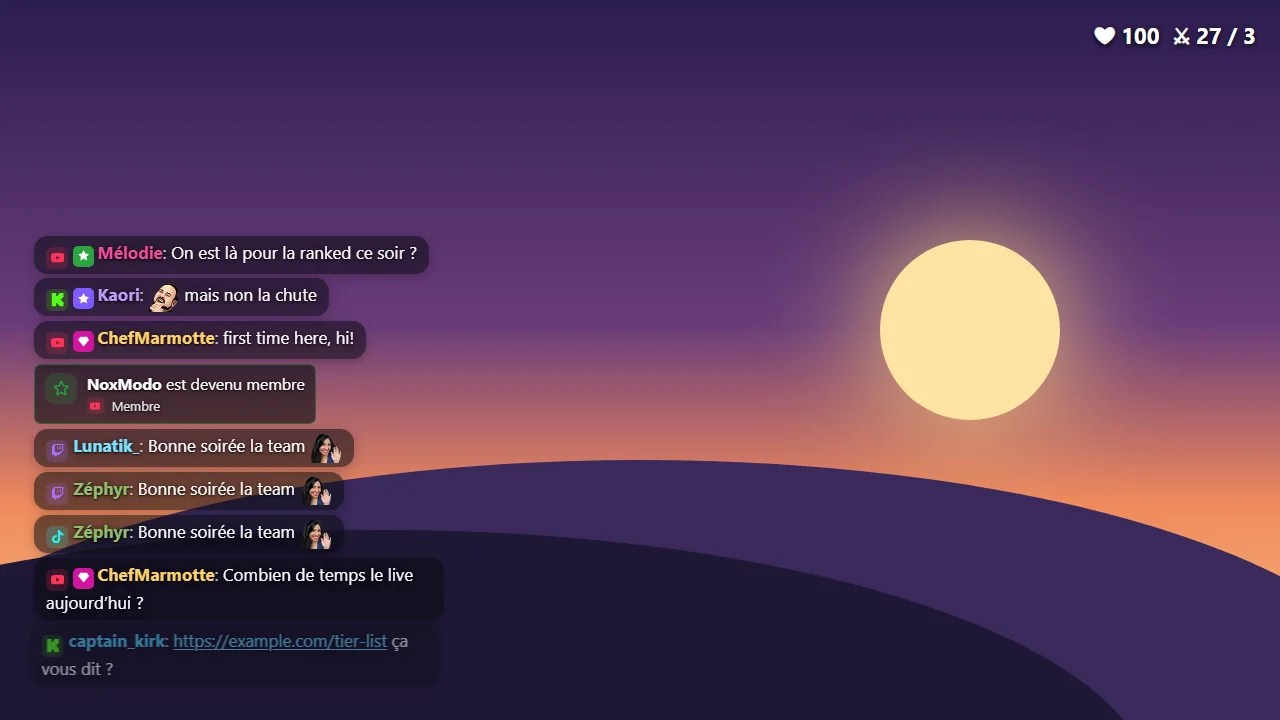
One chat, on screen and in OBS.
Every channel in one feed, with emotes, replies and moderation. Reply on Twitch, Kick or YouTube from the same dock. On the scene, three themes: transparent, dark cards or light cards.
02 · Alerts
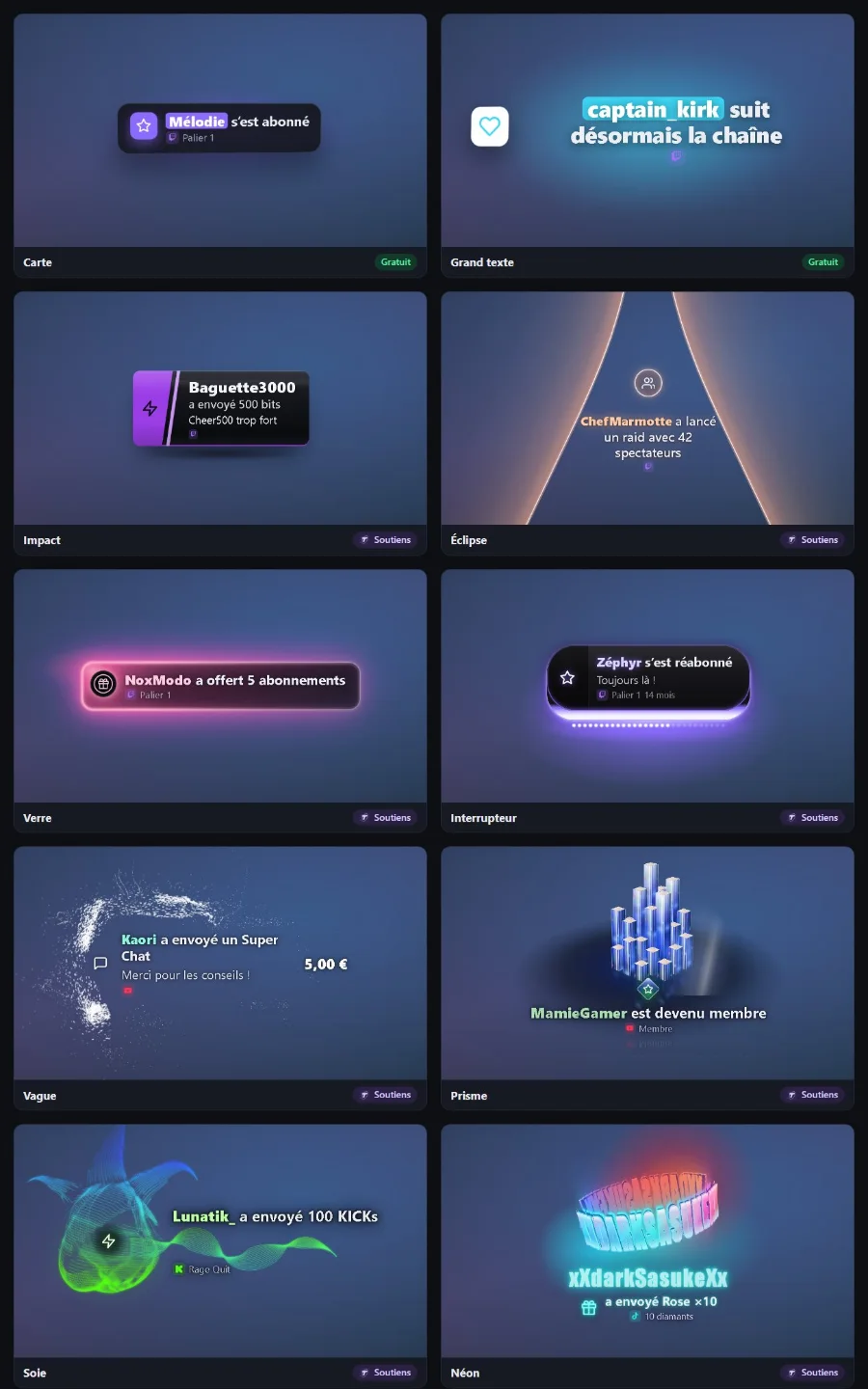
Ten alert styles. Nobody gets missed.
Subs, bits, Super Chats, raids and gifts show up on stream, with eight styles for supporters. Every event also lands in its own dock, alongside polls, goals and automatic filters.
03 · Stream info
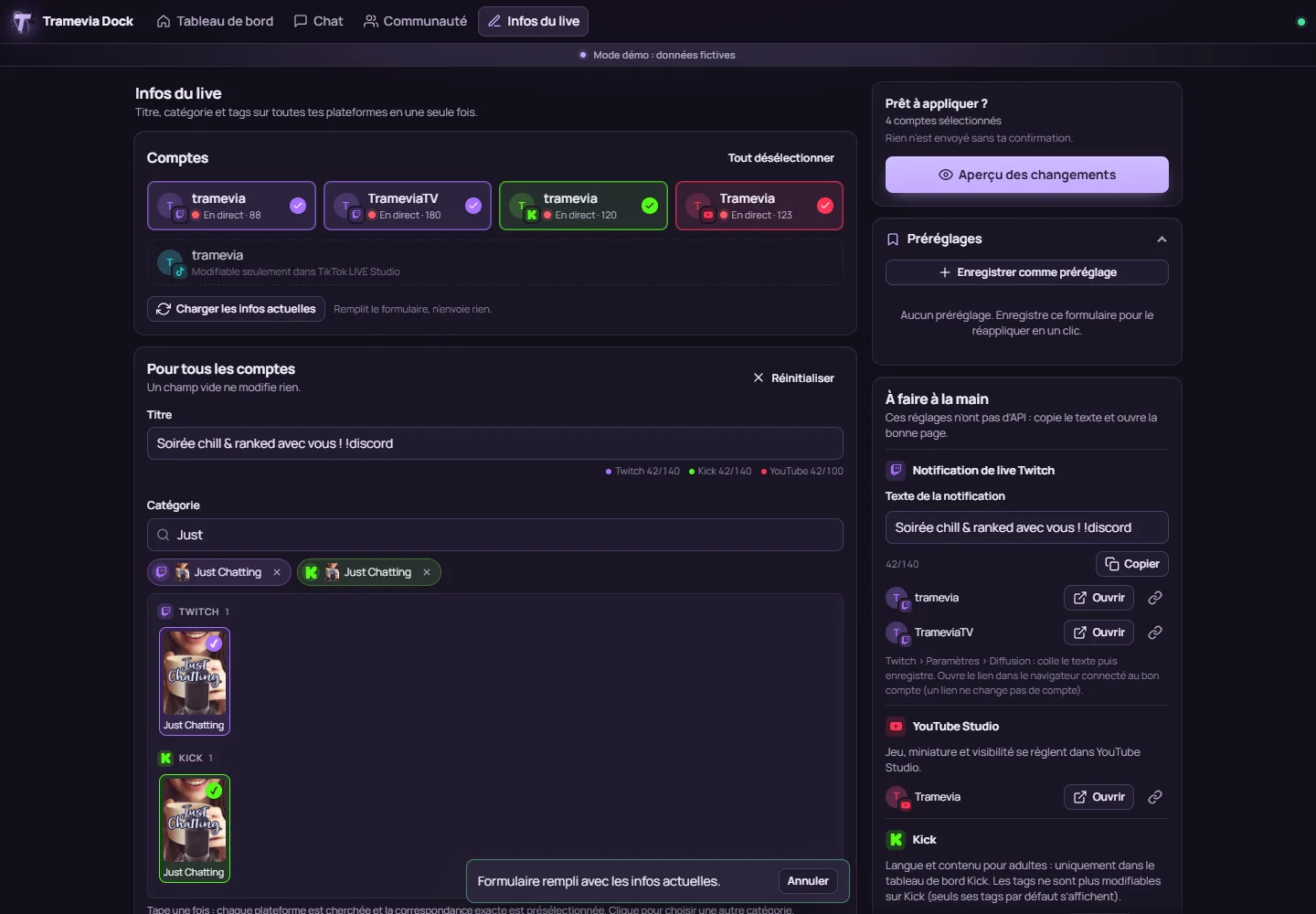
The title everywhere, in one go.
Title, category and tags edited once, applied to every account at once. A preview before applying: nothing is sent without your confirmation.
On your PC
Installed in five minutes.
You need Windows 10 or 11, macOS or Linux, Node.js LTS and OBS Studio 31 or newer.
- Install Node.js
The LTS version, from nodejs.org. It is the engine that runs the app on your computer.
- Download the latest release
The
tramevia-dock-X.Y.Z.zipfile on the releases page, not “Source code”. - Extract it to a folder you will keep
Your settings and accounts will live in that folder.
- Start it
Windows: double-click
start.bat. macOS:start.command. Linux:./start.sh. - Follow the wizard
Your browser opens the dashboard at
localhost:8787. Connect your accounts, one by one.
Online
Or hosted, for two PCs or a team.
A “Deploy on Railway” button in the repository, or the Docker image ghcr.io/tramevia/tramevia-dock with docker compose up -d. An admin password of twelve characters or more protects access.
When hosted, Kick chat comes through its official webhooks. On a PC it uses an unofficial connection that may break after a Kick update, like the TikTok LIVE one, which is read-only in every case.
In OBS
Two ways to add it: as a dock, or as a source.
- Copy the dock address
From the Tramevia Dock dashboard. It carries a full-access key: never show it on stream.
- OBS → Docks → Custom Browser Docks…
Type a name, paste the address in the URL column, then Apply. The dock snaps next to your scenes.
- For overlays, a Browser source
Sources → + → Browser, paste the overlay address, which the dashboard gives you with a read-only key, and set the size.
| Overlay | Size |
|---|---|
| Chat | 400 × 600 |
| Featured message | 400 × 600 |
| Alerts | 1920 × 1080 |
| Viewers | 400 × 400 |
| Poll | 600 × 400 |
| Goal | 800 × 200 |
FAQ
Before the next stream.
Is it free?
Yes. No ads, no subscription. Hosting it online costs whatever your host charges. Eight of the ten alert styles are reserved for supporters, on Buy Me a Coffee.
Do I need to code?
No. A wizard walks you through every step: connecting accounts, docks and overlays.
Are my passwords safe?
The app never sees your passwords: you sign in with each platform, and tokens are encrypted on your disk. No third-party server sits between you and Twitch, Kick, YouTube or TikTok. Back up the data folder, including secret.key.
Alerts don’t show in OBS
Check that the Tramevia Dock window is open, that the source uses the right overlay address, that its size matches your scene, and that the alert type and platform are enabled.
What about YouTube?
Chat, sending messages, moderation and stream info, through your own Google Cloud project. Google grants 10,000 units a day: sending a message uses some of them.
Does it work with Streamlabs Desktop?
Yes, by following the Streamlabs guide in the repository docs.
Two PCs?
Yes: hosted online, or running on one PC of your home network with a password.
Ready for the next stream?